Online retrospectives for teams who want to keep improving. Celebrate progress, talk through challenges and turn feedback into clear next steps, wherever you work.
A conversation worth having. Next steps worth keeping.
For a sprint, a project milestone or simply a moment to pause. Start with the familiar three sections and make the meeting your own.
01
Make room for every voice
Add reflections together in real time. Celebrate what went well, be open about challenges and capture ideas while they’re fresh.
02
Find what matters
Bring related notes into named groups. React, vote on priorities and give the most useful conversations the time they need.
03
Agree a way forward
Turn insights into actions with an owner and a due date. Keep the outcomes on your board, export them or connect them to Linear.
DURING THE MEETING
A little structure. More space to think.
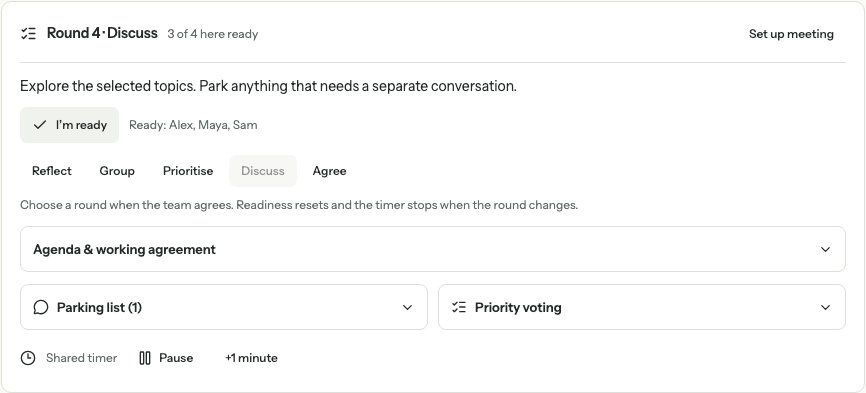
Keep it informal, or switch on guided rounds. Give people time to reflect, check who’s ready and park the questions that can wait.
Optional rounds and participant readiness
Shared timer, reactions and a parking list
Google Calendar event drafts
Example meeting · A shared rhythm, at your team’s pace.View full size
AFTER THE CONVERSATION
Good intentions, with a next step.
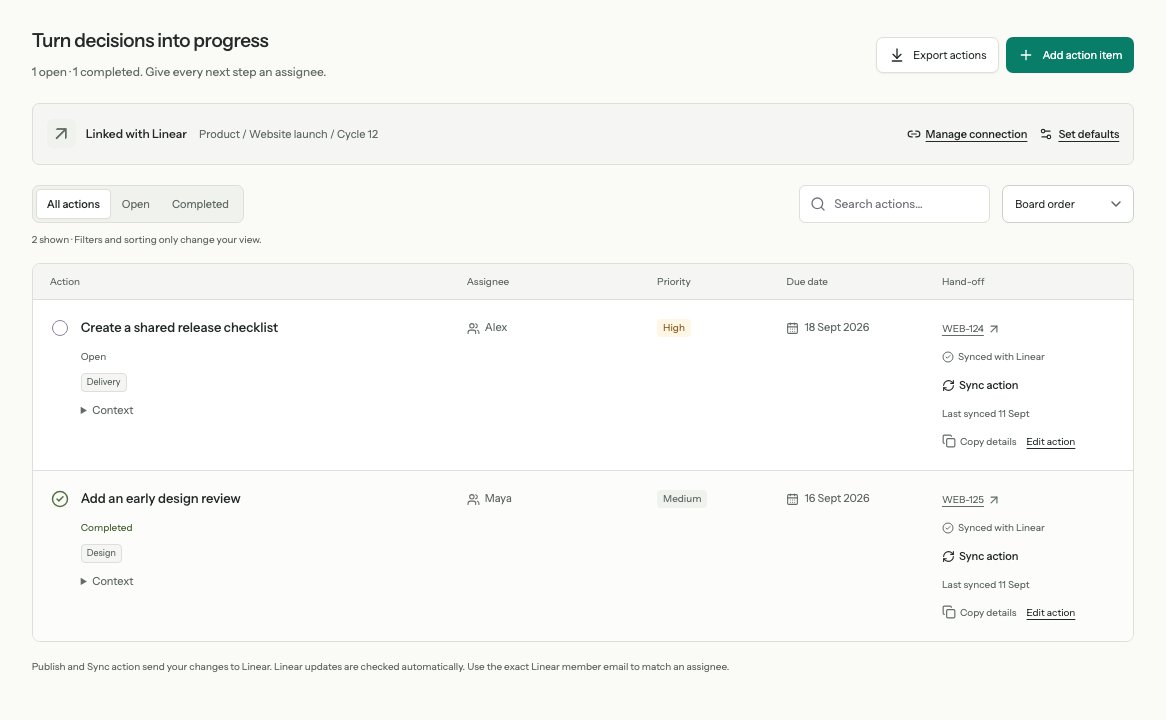
Make it clear who’s doing what. Teams can sign in with Linear, reopen their retrospectives across devices and publish selected actions to the right team and project.
Action owners, due dates and progress
Optional Linear publication and sync
PDF reports and portable JSON exports
Example actions · Clear ownership. Visible progress.View full size
BEFORE YOU BEGIN
A few useful things to know.
A simple start for your team, including invited guests.
Do I need a Linear account?
You need a Linear account to create a retrospective and manage your workspace plan. Invited participants can join as guests using their names. Signing in restores your verified profile and access to retrospectives you own or co-facilitate across devices.
Who can access a retrospective?
Anyone with the participant link can read and join the board, so share it only with the people you want to invite. There’s no public board directory. Facilitator controls are kept separate from participant links.
Can we reflect before sharing?
Yes. A facilitator can enable private reflection so new notes stay visible only to their authors until a facilitator reveals them to the group. Shared notes keep their authors’ names.
Can we keep the outcomes?
Yes. Reopen your board to follow up on actions, or download the shared outcomes as a PDF or JSON file. A facilitator can also connect Linear and explicitly publish selected actions. Creating a board doesn’t publish issues automatically.
FROM THE RETRO BLOG
Good conversations start here.
Practical ideas for your next retrospective, and the work that follows.